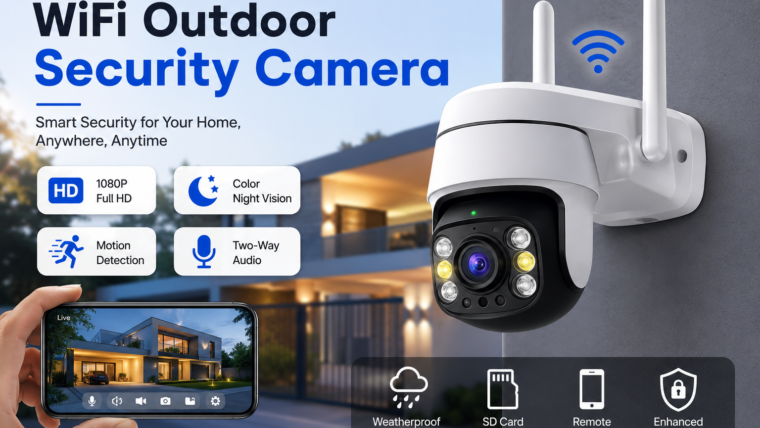
WiFi Outdoor Security Camera – Complete HD Buying & Setup Guide
Protect your home with a high-definition outdoor WiFi security camera featuring smart motion detection, night vision, two-way audio, and remote monitoring from anywhere.
Full HD Recording
Capture crystal-clear footage in 1080p, 2K, 4MP, 5MP, or 4K resolution.
Night Vision
Monitor your property 24/7 with infrared and full-color night vision.
Remote Access
View live video, playback recordings, and receive alerts from your smartphone.
Weatherproof Design
Built to withstand rain, dust, heat, and extreme outdoor conditions.
What is an Outdoor WiFi Security Camera?
An outdoor WiFi security camera is a wireless surveillance device that connects to your home network and enables remote monitoring through a mobile application. These cameras help secure entrances, driveways, garages, gardens, and other outdoor spaces.
Top Features to Look For
High-Definition Video Quality
- HD (720p)
- Full HD (1080p)
- 2K Ultra HD
- 4MP & 5MP
- 4K Ultra HD
Smart Motion Detection
Receive instant notifications when people, vehicles, or unusual activity are detected.
Two-Way Audio
Communicate directly with visitors, delivery personnel, or family members using the built-in speaker and microphone.
Storage Options
- MicroSD Card
- Cloud Storage
- Network Video Recorder (NVR)
- NAS Storage
Best Installation Locations
🚪 Front Door
Monitor visitors, deliveries, and package activity.
🚗 Driveway
Keep an eye on parked vehicles and incoming traffic.
🏡 Backyard
Protect outdoor spaces, children, and pets.
🚘 Garage
Secure valuable tools, equipment, and vehicle access points.
Wired vs Battery-Powered Cameras
| Feature | Wired WiFi Camera | Battery-Powered Camera |
|---|---|---|
| Power Source | Continuous Power | Rechargeable Battery |
| Installation | Moderate | Easy |
| Recording | Continuous Recording | Motion-Based Recording |
| Maintenance | Low | Periodic Charging Required |
| Best For | Permanent Security | Flexible Placement |
How to Set Up Your WiFi Camera
- Download the camera manufacturer’s mobile app.
- Create an account and sign in.
- Power on the camera.
- Connect to a 2.4GHz WiFi network.
- Scan the QR code using the app.
- Configure motion alerts and recording settings.
- Mount the camera 8–10 feet above ground level.
- Test the live view and notification system.
Maintenance Tips
- Clean the camera lens regularly.
- Check firmware updates monthly.
- Inspect camera mounts after extreme weather.
- Test motion alerts periodically.
- Ensure sufficient storage space is available.
Frequently Asked Questions
Do WiFi cameras work without the internet?
Most cameras require internet access for remote viewing and notifications, but many models continue recording locally to a microSD card.
How much internet speed is required?
At least 2–5 Mbps upload speed per camera is recommended for smooth HD video streaming.
Are outdoor cameras waterproof?
Most models are weatherproof with IP65, IP66, or IP67 ratings for outdoor use.
Can I view my camera while travelling?
Yes. You can access live video, recordings, and alerts from anywhere using the mobile app.

Leave a Reply