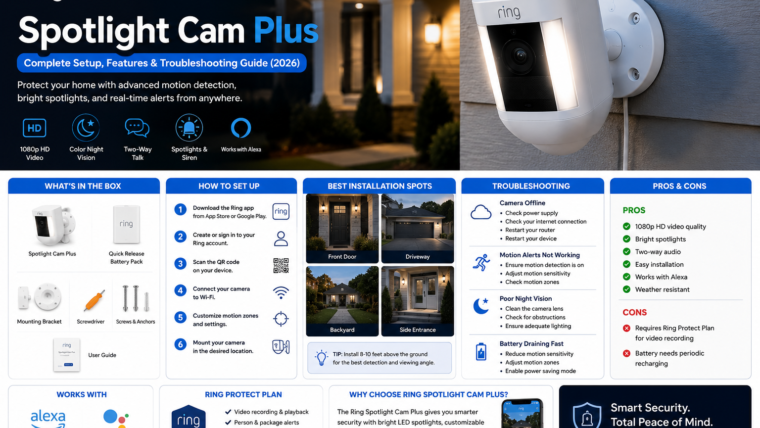
🔦 Smart Outdoor Security Camera
Ring Spotlight Cam Plus
Learn how to install, configure, and optimize your security camera with this complete setup and troubleshooting guide.
📹 1080p HD Video
🌙 Color Night Vision
🔊 Two-Way Audio
📡 Dual-Band Wi-Fi
★
Key Features
Motion Detection
Receive instant alerts when movement is detected.
Built-in Spotlights
Illuminate driveways, entrances, and outdoor spaces.
Two-Way Talk
Communicate with visitors remotely.
Weather Resistant
Designed for reliable outdoor use.
⚙
Specifications
Resolution
1080p HD
Connectivity
Dual-Band Wi-Fi
Audio
Two-Way Talk
Night Vision
Color Vision
Storage
Cloud Recording
✓
Setup Guide
- Download the Ring app.
- Create or sign in to your account.
- Scan the QR code on the camera.
- Connect to your Wi-Fi network.
- Configure motion zones and notifications.
- Mount the camera in your preferred location.
!
Troubleshooting
- Restart the camera if it goes offline.
- Move the camera closer to the router.
- Check Wi-Fi signal strength.
- Update the Ring app and firmware.
- Verify motion alerts are enabled.
Protect Your Home with Smarter Security
The Ring Spotlight Cam Plus combines intelligent alerts, bright spotlights, and remote monitoring for complete peace of mind.
Learn More
Leave a Reply